Parking Lot Power: Building EV Charging That Works All Day
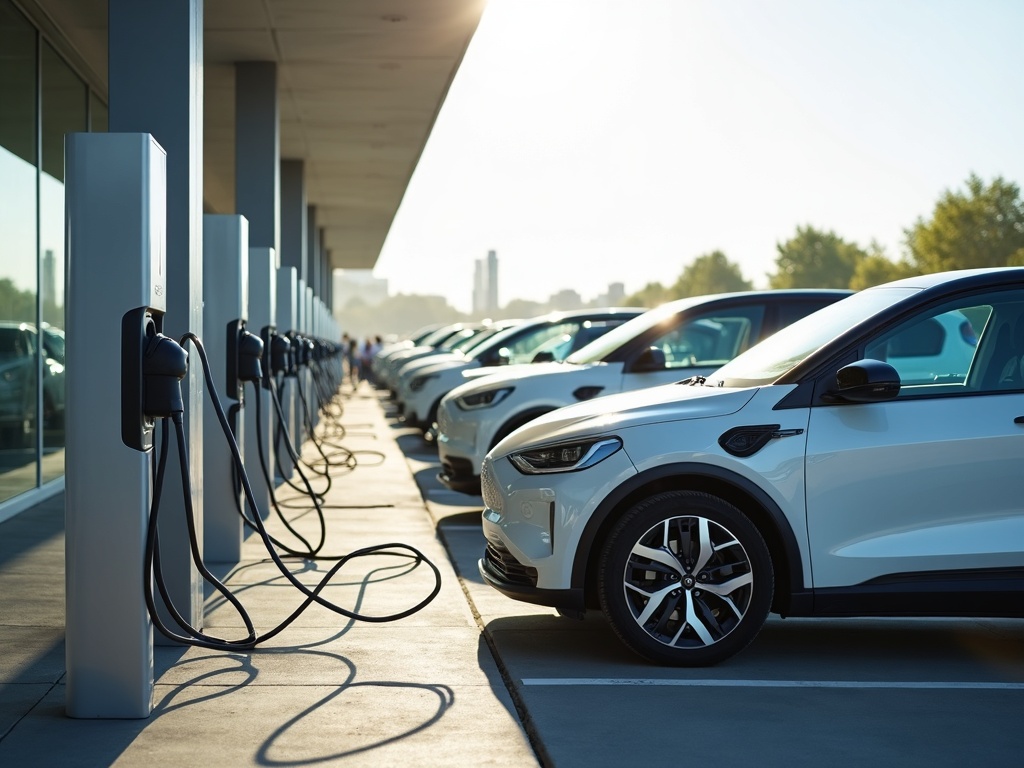
Electric cars keep showing up in more car parks every month. That is great, but it only works when the chargers are ready, clear to find, and easy to use. The goal is simple: drivers plug in, charge, and move on without a long wait or confusing rules. This guide explains how any site—shops, offices, gyms, or schools—can set up charging that runs smoothly from the morning rush to closing time.
What “works all day” really means
A solid site does three things well. First, it offers the right mix of speed. Some drivers stay an hour. Others stop for ten minutes and need a fast top-up. Second, the layout keeps traffic moving. Cables reach, bays are easy to pull into, and no one blocks anyone else. Third, the system stays online. Smart software watches loads, reports faults, and helps staff fix small issues before they grow.
When those three parts line up—speed, layout, and uptime—queues shrink and the chargers earn trust. People remember that the site “just works,” and they come back.
Pick charger speeds with a plan
Charger speed sets expectations. Level 2 (AC) units are perfect for longer stops—workplaces, cinemas, sports centers, and multi-hour errands. DC fast chargers handle short visits and road trips. Most car parks need a blend: a few fast units for quick turns and more Level 2 bays for steady, all-day use.
Power supply decides how many units fit. Check the building’s spare capacity, the distance to switchboards, and the cost to run new cable. Good planning avoids surprises during install. For teams in New Zealand, services that handle full site checks and permits—such as EV Commercial Charger Installation in Auckland—can streamline this step and make sure the layout, power, and safety gear match local rules.
Keep the power simple and safe
Think of the site’s electrical system as the heart of the setup. Load management is the “pulse control.” It spreads power across bays so the system does not trip when many cars plug in at once. Dynamic settings help during busy times by giving each car what it needs based on battery level, charger type, and time limits.
Protection matters. Each circuit needs correct breakers, RCDs where required, and solid earthing. Clear labeling on panels and conduits helps maintenance later. Weatherproof enclosures, cable glands, and proper mounting keep water out and hardware solid in high wind. These details sound small, but they keep uptime high and repair costs low.
Design the car park layout for real life
Drivers arrive tired, in the rain, or with kids in the back. Make it easy. Place bays near main entrances but not where they block flow. Keep charge points in well-lit spots with cameras in view. Allow room for wheelchairs and strollers to pass safely. Use contrasting paint so the bay edges stand out day and night.
Cable reach is more than a spec sheet number. Test that the connector reaches charge ports on the front, rear, and side of different vehicles. A little extra slack prevents awkward parking angles. Mount chargers high enough to avoid bumper hits but low enough for easy reach.
Wayfinding helps. Signs at the car park entrance, on each level, and near the bay cut down on aimless loops. A simple map on the wall or in the parking app does the same job. Keep all signs consistent—the same colors, arrows, and words—so drivers trust what they see.
Make it fast to start and fair to share
Payment and rules should be simple. Offer tap-to-pay and major cards, not just an app sign-up. Post the price per kWh and any session or idle fees in large print. Time limits keep bays available. For Level 2, a two-to-four-hour cap works at most shops and offices. For DC fast, shorter windows keep turns quick. Enforce the rules kindly but firmly so the system stays fair.
Give drivers what they need while they charge. A bench, a covered path to the door, and a bin for cable ties or wrappers make a difference. If the car park has poor mobile signal, add Wi-Fi near the bays so payment apps and receipts work without delay.
Watch the system and fix small issues early
Monitoring turns a good site into a great one. Use a platform that shows live status, energy use, and alerts. Set targets for uptime and average session length. When a port goes down, a quick reset often brings it back. Keep spare cables, connectors, and fuses on hand for the fastest fixes.
Plan regular checks. Wipe connectors, inspect cable strain reliefs, tighten lugs at planned intervals, and test RCDs. Look for heat marks or cracked housings. Clear paint lines and bay signs when they fade. A tidy site signals safety and reduces misuse.
Prepare for growth before the queue forms
EV adoption is climbing. Build for today and tomorrow. Run extra conduit while trenches are open. Add a larger cable tray than the first phase needs. Choose switchboards with spare ways and leave space for more breakers. Pick chargers that support load sharing and software upgrades, not just fixed settings.
Data guides expansion. Track peak hours, session counts, dwell times, and turn-aways. If DC fast chargers stay busy at lunch, add one more or push Level 2 users to nearby bays with pricing. If evening sessions rise, shift some load to off-peak pricing and promote those hours to regulars.
Keep everyone safe
Clear rules prevent most problems. Mark EV charging bays as “Charging Only.” Set idle fees after a grace period once the battery hits a set level. Tow-away signs should be firm but fair, and only used when all other steps fail.
Train staff on basics: how to power-cycle a unit, check for trip indicators, and report faults with photos and timestamps. Post a simple guide near the chargers with a QR code to a help page. Add emergency shut-off buttons in reach but protected from accidental knocks.
Costs that make sense and how to control them
There are three main costs: hardware, installation, and ongoing service. Hardware covers chargers, posts, cables, and network modules. Installation includes trenching, coring, switchboard work, and permits. Service covers software fees, repairs, cleaning, and any network charges.
Control these with a few moves. First, phase the rollout. Start with a core set of bays, then expand using the buried conduit and spare capacity. Second, use load management to avoid demand spikes. Third, match speed to dwell time so you do not overpay for fast chargers that sit idle. Finally, review energy tariffs. Off-peak rates and simple solar additions can trim monthly bills without hurting charge times.
Small details that raise user trust
People judge a site by the little things. Coiled cables that do not drag on the ground, connectors that click into holders, and screens that are bright in daylight all send the right signal. Keep the area clean. Add a short welcome message on the screen and basic steps for first-time users. Make contact info easy to spot so problems do not turn into bad reviews.
Accessibility matters. Provide at least one wider bay with extra space for doors to open fully and room to move around a wheelchair. Keep kerbs beveled and surfaces even. Good access helps everyone, not only those who need it most.
Quick examples of mixes that work
A mid-size supermarket can pair two DC fast chargers near the front with six Level 2 bays along a side wall. The fast units handle quick stops, while Level 2 serves weekly shops. An office park might skip DC fast and offer ten Level 2 bays spread across two lots with smart sharing. A sports center could add one DC fast unit for short top-ups between games and four Level 2 bays for longer sessions during practices.
The point is not to copy a template. The point is to match speed and count to how people use the site.
Key takeaways and next steps
A reliable charging site balances speed, layout, and uptime. Pick charger types based on how long people stay. Plan power and protection so the system runs hard without tripping. Mark bays clearly, keep payment simple, and post fair time limits. Monitor the network, restock spare parts, and fix small issues early. Build extra capacity while the ground is open so upgrades do not start from zero.
Walk the car park and picture a busy day. Where would a driver pull in? Can the cable reach? Is the sign clear from across the lane? Answer those questions, and the chargers will work all day, every day. If any step feels unclear, gather your team, agree on the plan, and get the site powered up.



Post Comment